
Stock Order Types: The Complete Guide to Every Order
⚡ Key Takeaways
- The six essential stock order types are market orders, limit orders, stop orders, stop-limit orders, trailing stops, and bracket orders
- Each order type controls different variables: execution speed, price, or both — choosing the wrong one costs you money
- Market orders guarantee execution but not price; limit orders guarantee price but not execution
- Combining order types into workflows (like bracket orders) automates your risk management and removes emotion from trade execution
Why Order Types Matter
Every trade you place requires a decision about how to execute it. Clicking "buy" or "sell" without understanding order types is like driving without knowing what the pedals do. The order type you choose determines whether you get filled instantly or at a specific price, whether your downside is protected, and whether you capture profits automatically.
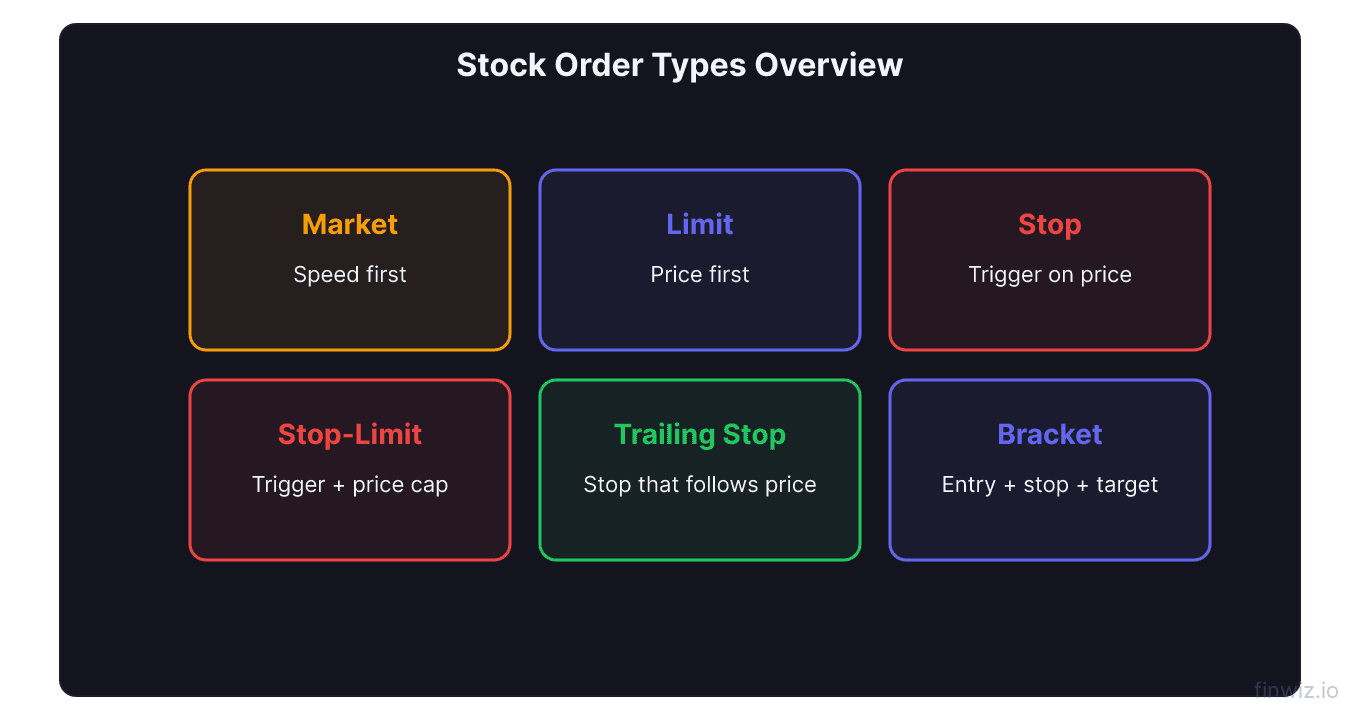
Order types control three things:
- When your order executes (immediately or conditionally)
- At what price your order fills (market price or a price you set)
- Whether execution is guaranteed (certainty of fill vs. certainty of price)
Mastering order types is not optional. It is a core trading skill that separates traders who manage risk from those who leave it to chance.
Market Orders
A market order is the simplest order type. It tells your broker to buy or sell immediately at the best available price. There is no price condition — the order fills as soon as it reaches the market.
When to use market orders:
- You need to exit a losing position immediately
- You are trading a highly liquid stock with a tight bid-ask spread
- Speed of execution matters more than the exact fill price
When to avoid market orders:
- The stock has a wide bid-ask spread (low liquidity)
- You are trading during pre-market or after-hours sessions
- The stock is volatile and the price is moving rapidly
A market order to buy AAPL during regular hours will fill within a penny of the quoted price. A market order to buy a low-float penny stock with a $0.10 spread could fill significantly worse than expected.
Limit Orders
A limit order sets the maximum price you will pay (for buys) or the minimum price you will accept (for sells). The order only fills at your limit price or better.
Buy limit order: "Buy 100 shares of AMZN at $180.00 or lower." If AMZN is trading at $185, the order waits until the price drops to $180.
Sell limit order: "Sell 100 shares of AMZN at $195.00 or higher." The order waits until a buyer meets your price.
Limit orders are the default choice for planned entries and profit targets. They give you price control at the cost of potential non-execution. If AMZN never drops to $180, your buy limit sits unfilled.
Pro Tip
Stop Orders
A stop order is a conditional order that activates when the stock reaches your specified stop price. Once triggered, it converts to a market order and fills immediately.
Sell stop (below current price): Used to protect positions. You own MSFT at $420 and place a sell stop at $410. If MSFT drops to $410, the stop triggers and sells your shares.
Buy stop (above current price): Used for breakout entries. NVDA is at $890 with resistance at $900. A buy stop at $900.50 enters you long only if the breakout occurs.
Stop orders are explained in depth in our stop order guide. They are the foundation of every stop-loss strategy.
Stop-Limit Orders
A stop-limit order combines the trigger mechanism of a stop order with the price control of a limit order. It requires two prices: a stop price (the trigger) and a limit price (the maximum or minimum fill price).
Example: You set a sell stop-limit with a stop at $95 and a limit at $94.50. When the stock hits $95, the order becomes a sell limit at $94.50. If the price is at or above $94.50, the order fills. If the stock gaps below $94.50, the order does not fill — you remain in the position.
| Scenario | Stop Order | Stop-Limit Order |
|---|---|---|
| Normal decline to stop | Fills at market (~stop price) | Fills at limit or better |
| Gap through stop price | Fills at gap price (worse) | Does not fill (stays open) |
| Fast-moving breakout | Fills at market (possible slippage) | May not fill if price runs |
| Best for | Guaranteed exits | Price-controlled entries |
The trade-off is clear: stop-limit orders prevent bad fills but introduce the risk of no fill at all. For protective stops where you must exit, standard stop orders are safer. For entries where you would rather miss the trade than overpay, stop-limits are appropriate.
Trailing Stop Orders
A trailing stop is a dynamic stop that adjusts as the stock moves in your favor. You set a trail amount (in dollars or percentage), and the stop price follows the stock's highest point (for longs) or lowest point (for shorts).
Dollar trailing stop: You buy GOOGL at $175 with a $5 trail. Initial stop: $170. GOOGL rises to $190 — stop adjusts to $185. GOOGL pulls back to $185 — the stop triggers and sells.
Percentage trailing stop: You buy TSLA at $250 with a 3% trail. Initial stop: $242.50. TSLA rises to $280 — stop adjusts to $271.60. The stop always stays 3% below the highest price reached.
Dollar Trail: Stop = Highest Price - Trail AmountTrailing stops are excellent for letting winners run. The challenge is setting the right trail distance — too tight and normal pullbacks trigger it prematurely; too wide and you give back too much profit.
Bracket Orders
A bracket order (also called an OCO — One-Cancels-Other) packages three orders together: an entry order, a stop-loss order, and a profit-target order. When the entry fills, the stop and target activate. When either the stop or target fills, the other is automatically canceled.
Example bracket order:
- Entry: Buy 100 shares of AAPL at $185 (limit order)
- Stop loss: Sell at $182 (sell stop)
- Profit target: Sell at $192 (sell limit)
This creates a complete trade with predefined risk and reward. You do not need to monitor the position — the bracket handles both outcomes.
Bracket orders are the most professional way to manage trades. They eliminate the delay between entry and protective order placement and remove the temptation to "give it more room" when a trade goes against you.
Order Type Comparison Table
| Order Type | Price Control | Execution Guarantee | Use Case |
|---|---|---|---|
| Market | None | Yes | Urgent exits, liquid stocks |
| Limit | Full | No | Planned entries, profit targets |
| Stop | None after trigger | Yes after trigger | Stop losses, breakout entries |
| Stop-Limit | Full after trigger | No | Controlled exits, entry price caps |
| Trailing Stop | Dynamic | Yes after trigger | Locking in profits on trending stocks |
| Bracket | Full (limit components) | Mixed | Complete trade management |
Building an Order Type Workflow
Successful traders do not pick order types randomly. They follow a consistent workflow:
- Identify the setup — Is this a breakout, pullback, or reversal?
- Choose the entry order — Limit order for pullbacks and planned levels; buy stop for breakouts.
- Define the stop loss — Sell stop for guaranteed exits; sell stop-limit if you want price control.
- Set the profit target — Sell limit at your target level.
- Package it — Use a bracket order to combine entry, stop, and target into a single submission.
This workflow ensures every trade has a defined entry, a defined maximum loss, and a defined profit target before you commit capital. It transforms trading from reactive decision-making into systematic execution.
Pro Tip
Time-in-Force Settings
Order types interact with time-in-force settings that control how long your order stays active:
- Day: The order expires at market close if not filled. Default for most orders.
- GTC (Good-Til-Canceled): The order remains active until filled or manually canceled (most brokers cap this at 60-90 days).
- IOC (Immediate-Or-Cancel): The order fills immediately (fully or partially) or is canceled. Unfilled portions are canceled.
- FOK (Fill-Or-Kill): The entire order must fill immediately, or the entire order is canceled.
For swing trades with stop losses, use GTC so your protective orders remain active across multiple sessions. For day trades, Day orders ensure nothing lingers overnight.
Frequently Asked Questions
What order type should beginners use?
Start with limit orders for entries and stop orders for stop losses. This combination gives you price control on entries and execution certainty on exits. As you gain experience, add trailing stops and bracket orders to your toolkit. Avoid market orders except when you need an immediate exit from a losing trade.
Can I change an order type after placing it?
Yes. Most brokers allow you to modify or cancel open orders before they fill. You can change the order type, price, quantity, or time-in-force. However, if the order has already triggered (a stop that has converted to a market order), it cannot be modified. Always review and adjust unfilled orders regularly — stale orders from old setups can fill unexpectedly.
Which order type is best for volatile stocks?
For entries in volatile stocks, use limit orders or stop-limit orders to control your price. For exits and stop losses, standard stop orders are generally better because they guarantee execution — in a volatile sell-off, a stop-limit order may not fill if the price gaps through your limit. The exception is if you would genuinely prefer to hold through a gap rather than sell at a terrible price.
Related Articles
12 chapters covering charts, indicators, risk management & more. Plus weekly trading insights.